Circuit simulation features: From the idea to the insight.
Build, measure and ask another question. Keep the circuit in sight while you work out what it means.
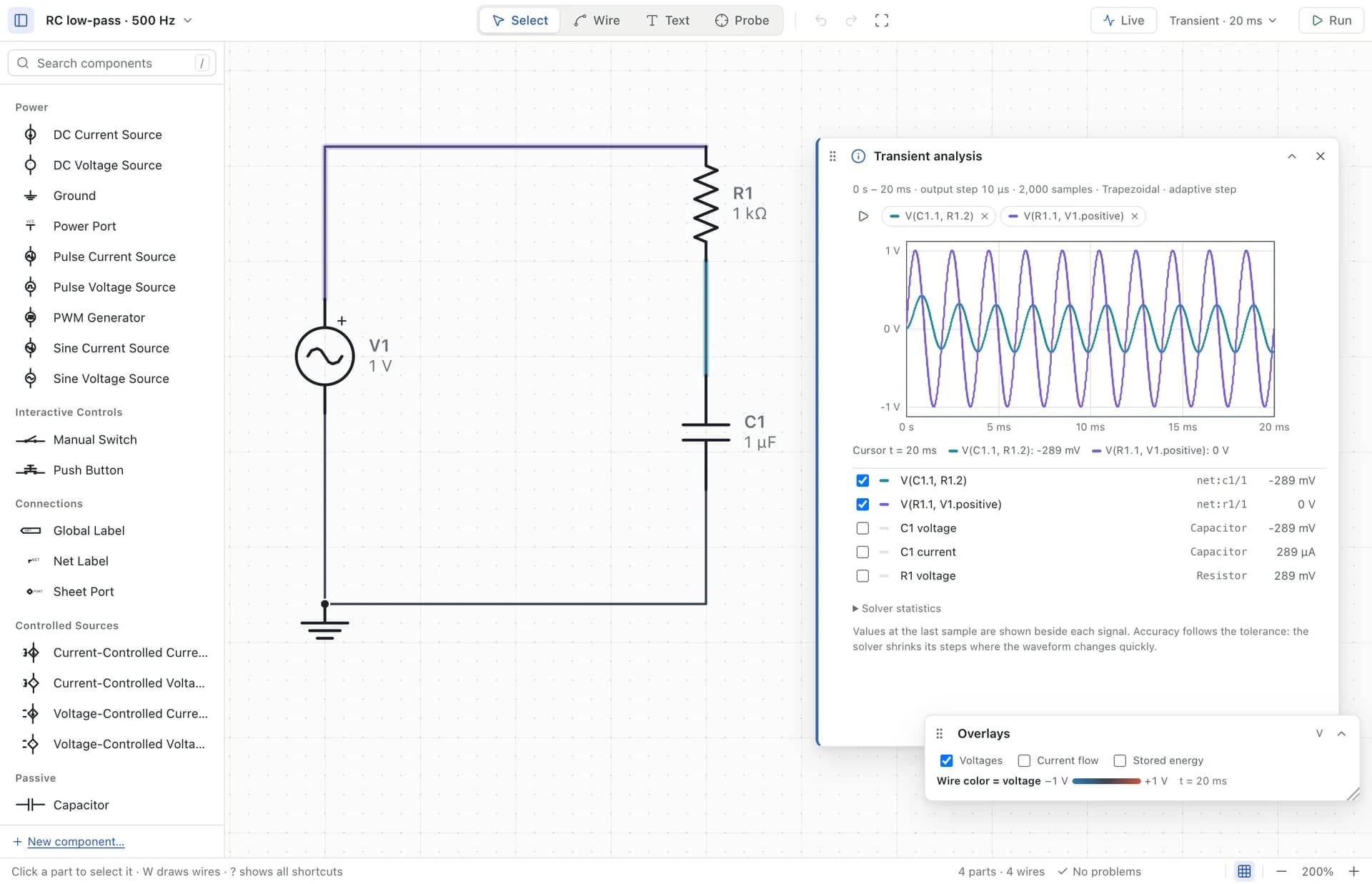
01 / A CANVAS FOR THINKING
Build at the speed of an idea.
Find parts by name, place them on the grid, and connect their pins. Pan and zoom, rotate a connected part, edit a value in engineering notation, or undo the last experiment. Contextual component details keep the workspace focused.
Wires connect to explicit pins and junctions. A crossing by itself is not a connection. Local projects preserve the circuit’s connections as well as its drawing.
02 / CHOOSE YOUR QUESTION
Three views of the same circuit.
- DC operating point
- Read steady voltages, branch currents and power for supported devices.
- Transient
- Inspect startup and changing signals over time. Compare traces with a shared result cursor.
- AC small-signal
- Sweep around a DC bias point. View magnitude and phase, normalize to a reference and locate a filter corner.
03 / CHANGE IT. WATCH IT.
An experiment that keeps going.
Live runs a continuing transient. Toggle a manual switch, hold a push button, or adjust PWM controls while the simulation clock continues. Pause, step or inspect the scrolling oscilloscope.
Wire colors show voltage; moving dots show conventional current, with numeric readouts alongside. Animation speed is qualitative. Complex switching circuits can simulate more slowly than real time; Live does not promise hardware-speed execution.
04 / YOUR OWN WORKBENCH
Local files. Reusable parts.
Work offline, save versioned project files and reopen them later. Recovery backups protect unsaved work locally. Create a component from a template, customize its symbol and pin mapping, and reuse it through My Components.
Supported SPICE models can be attached to components. Embed personal definitions in a project when you want the model to travel with it. The desktop has no telemetry, automatic update checks or cloud solver.
BRING IDEAS IN. TAKE THEM FURTHER.
Interchange, with the limits in view.
| Format | What you can do | Important limits |
|---|---|---|
| SPICE | Import supported netlists, models and subcircuits. Export compatible circuits. | A generated layout is not the original drawing. Supported model physics is a subset; no universal vendor-model compatibility. |
| KiCad | Import modern .kicad_sch schematics, including supported sheets and simulation metadata. Export KiCad 8 format. | No PCB layout. Unmatched models stay as named placeholders. Some custom parts block export. |
| Falstad / CircuitJS | Import supported text/XML circuits and share links; export the supported subset. | Scopes and display settings do not transfer. Device models can differ; unsupported elements are reported. |
Simulation is a model of a circuit, not a measurement of a physical board. Understand what a model leaves out before interpreting a result.
These are capabilities of the current development build. See release and platform availability for what you can install. No browser or iPad simulator is available.